That Annoying Hum Isn't Bad Luck — It's Bad Grounding
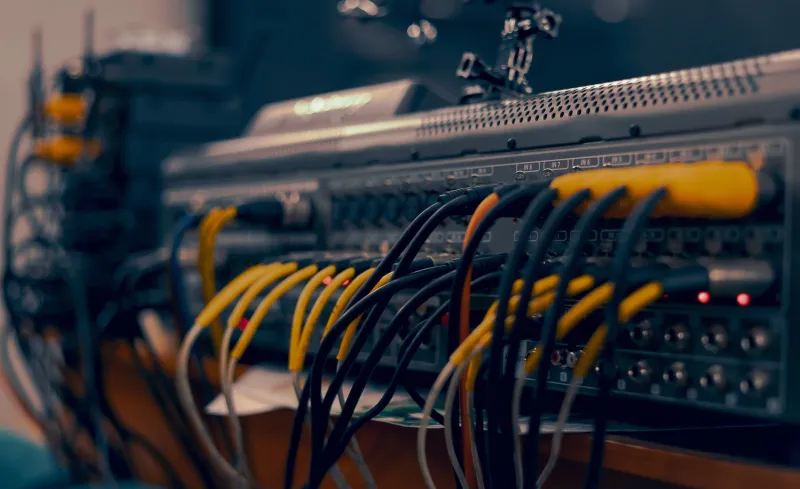
There's a moment every AV professional knows. You've got everything patched in, the client is hovering nearby, doors open in 45 minutes, and then you hear it — that low, insistent drone coming out of the mains. Not feedback. Not a bad cable (you already swapped it). Just a hum, sitting there like it owns the place.
Grounding issues are responsible for more last-minute scrambles, more unexplained audio artifacts, and more quietly damaged reputations than almost any other technical problem in live and installed AV. The frustrating part? They're almost always preventable. But first you have to understand what you're actually dealing with.
What a Ground Loop Actually Is
The term gets thrown around a lot, but let's make it concrete. A ground loop happens when two pieces of equipment are connected together and each one has its own path to ground — and those paths are at slightly different electrical potentials. Current flows along the audio signal path trying to equalize that difference, and your speakers faithfully reproduce it as audible noise.
In the US, building wiring isn't perfectly uniform. Different outlets on different circuits, different distances from the panel, different ages of wiring — all of it contributes to small voltage differences between ground points. In older venues especially (think historic theaters, repurposed warehouses, churches with wiring from the 1970s), those differences can be significant enough to cause real problems the moment you connect a mixing console to a projector that's plugged into a different circuit.
The classic symptom is a 60Hz hum, sometimes accompanied by harmonics at 120Hz and 180Hz. If you're seeing video equipment in the chain, you might also get interference that follows the 60Hz cycle in a more complex way — a rolling or flickering artifact on displays that corresponds to the same underlying cause.
Diagnosing the Problem Systematically
Random cable-swapping is how you waste time. Here's a workflow that actually narrows things down.
Start by isolating the source. Disconnect everything from your mixer except the power amp or powered speakers. If the hum disappears, the problem is in something you disconnected. Add devices back one at a time until the hum returns — that last thing you added is your culprit, or at least the device creating the problematic ground path.
Check your power, not just your signal. Plug a basic outlet tester (the $10 kind from any hardware store) into every outlet you're using. A reversed polarity or missing ground reading tells you something important about the building's wiring situation before you even start troubleshooting your gear.
Use a multimeter to measure ground potential differences. With everything powered but nothing connected via audio cables, measure AC voltage between the ground pins of different outlets you're using. Anything above about 0.5V AC is a red flag. Readings of 2-3V or higher mean you've got a genuine electrical infrastructure problem that a DI box alone won't fully solve.
Listen to the character of the hum. A clean 60Hz tone usually points to a simple ground loop. A buzzing, more complex tone with lots of harmonic content often indicates RF interference or a dimmer pack nearby. A hum that changes when you touch the equipment suggests a floating ground somewhere in the chain.
Your Toolkit for Fixing It
Once you've identified the problem path, you've got a few options — and knowing which one to reach for matters.
Isolation transformers and direct boxes are your first line of defense for audio signal paths. A quality DI box with a ground lift switch breaks the DC ground connection between two pieces of equipment while maintaining the audio signal path. For line-level connections between rack gear, a passive isolation transformer does the same thing. Keep a handful of these in your kit — they're cheap insurance.
Power conditioning and isolated power distribution addresses the problem at the source rather than working around it. A quality power conditioner with isolated outlets (brands like Furman and Tripp Lite make solid options at various price points) gives each device in your rack its own isolated power path, dramatically reducing the chance of ground loops forming in the first place. For permanent installs, this should be a non-negotiable line item in your proposal.
A single-point grounding scheme is the professional approach for any fixed installation. Rather than letting every device find its own path to ground through whatever outlet is convenient, you design the system so all equipment grounds converge at a single point — typically a dedicated grounding bar in the equipment rack, which then connects via a single conductor to the building's electrical ground. This eliminates the multiple competing ground paths that cause loops.
Don't abuse the ground lift. This is worth saying plainly: lifting the ground on a piece of equipment with a three-prong plug by using a cheater adapter is a safety violation, not a troubleshooting technique. The equipment ground exists to protect people from electrical faults. Using signal-path isolation transformers and DI boxes is the right way to break ground loops — not defeating the safety ground on your power connection.
Prevention Strategies for Recurring Setups
If you work the same venues repeatedly, do yourself a favor and document the electrical quirks of each one. Which circuits are on the same leg of power? Where are the dimmer packs? Which outlets have sketchy wiring? That knowledge is genuinely valuable — it's the difference between showing up and knowing what to expect versus troubleshooting from scratch every time.
For touring and rental work, building a standard front-of-house power distribution setup with isolation built in pays for itself quickly. A small rack with a proper power conditioner, a star-grounded power strip for your audio gear, and a separate circuit for anything with a switching power supply (laptops, LED fixtures, wireless charging) keeps the noisiest stuff away from your sensitive audio path.
For installed systems, spend time with the building's electrician before the gear even arrives. Specify that audio and video equipment should share a dedicated circuit or panel, separate from lighting dimmers and HVAC equipment. That conversation during the planning phase costs nothing. Fixing RF interference from a poorly isolated dimmer rack after the system is commissioned costs a lot.
The Reputation Angle
Here's the thing about grounding problems that doesn't get said enough: clients don't hear "ground loop." They hear "this AV company's system sounds bad." They don't know the venue's wiring is from 1987. They don't know the lighting designer plugged a bunch of dimmers into the same circuit as your amp rack. They just know there was a hum, and you were the AV person.
Building a troubleshooting workflow for grounding issues — and more importantly, designing your systems to prevent them in the first place — is one of those professional habits that quietly builds your reputation over time. It's not glamorous. Nobody's going to compliment you on your star-grounding scheme. But they will notice when your systems sound clean, every time, in venues where other operators struggle.
That consistency is worth more than any piece of gear in your rig.